

Why use it
The real answers
See word for word what AI engines told buyers who asked.
The tone
See whether each mention of you was positive, neutral or negative.
Spot problems
Find answers that steer buyers away from you, the most important ones to fix.
Explain changes
See the real answers behind any change in your AI visibility.
What’s in the feed
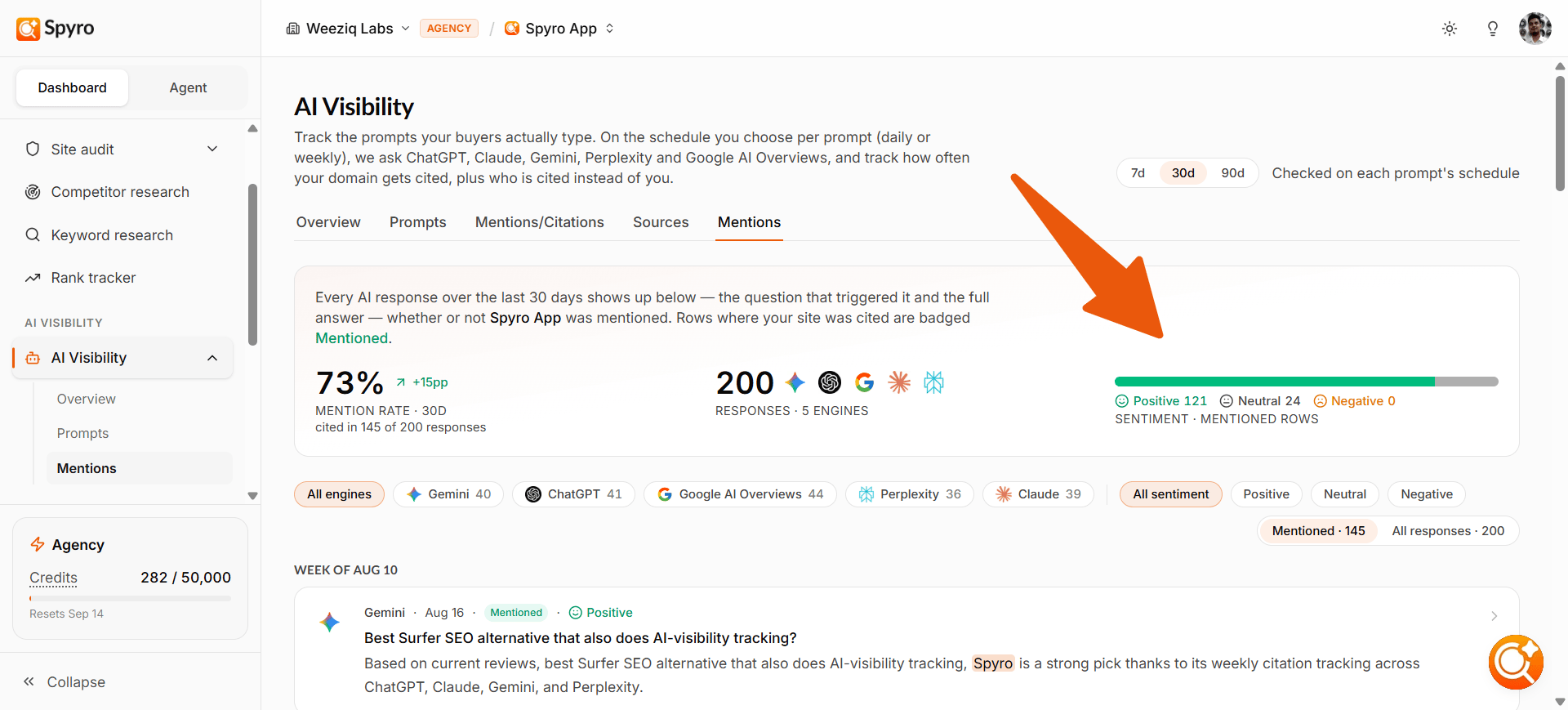
The feed covers the last 7, 30 (the default) or 90 days; switch with the buttons at the top. Answers are grouped by week, newest first. For each answer you see:- Which engine answered and when the check ran.
- The question that prompted the answer.
- Whether it mentioned you: a Mentioned badge when it named your brand, or Not mentioned.
- Your position among the brands the answer names (1 means you were named first).
- The tone (positive, neutral or negative) for answers that mention you.
- The snippet: the exact excerpt, with your brand highlighted.
How to use it
1
Open AI answers
Choose AI answers in the sidebar, under AI visibility.
2
Filter the feed
Filter by engine, by tone, and by whether the answer mentioned you (Mentioned or All responses).
3
Read the snippet
The highlighted snippet shows the exact sentence you appeared in, so you can judge how you were described, not just whether you were named.
4
Watch the negatives
Filter to negative answers. They steer buyers away from you, and fixing them has the biggest payoff.
5
Open the full answer
Choose any answer to read the complete response and the sources the engine cited.
What to expect
- The feed shows every answer in the period, mentioned or not, so you see the full picture.
- Tone is only labeled for answers that mention your brand. A very recent answer may briefly show as not yet labeled.
- If your prompts are paused or your plan lapses, the feed keeps showing your most recent answers.
Tips
- This feed is the best place to understand why your share of voice moved. A drop usually traces back to specific answers here: a rival the engine started recommending, or a question where it stopped naming you.
- When you find a negative or missed mention, note the question, then improve the content that should answer it.
Related
AI visibility
See your overall AI visibility and trends by engine.
Tracking prompts
Manage the questions being asked.
AI writer
Write content to improve missed or negative topics.
Competitors
See where competitor information lives in Spyro AI.