

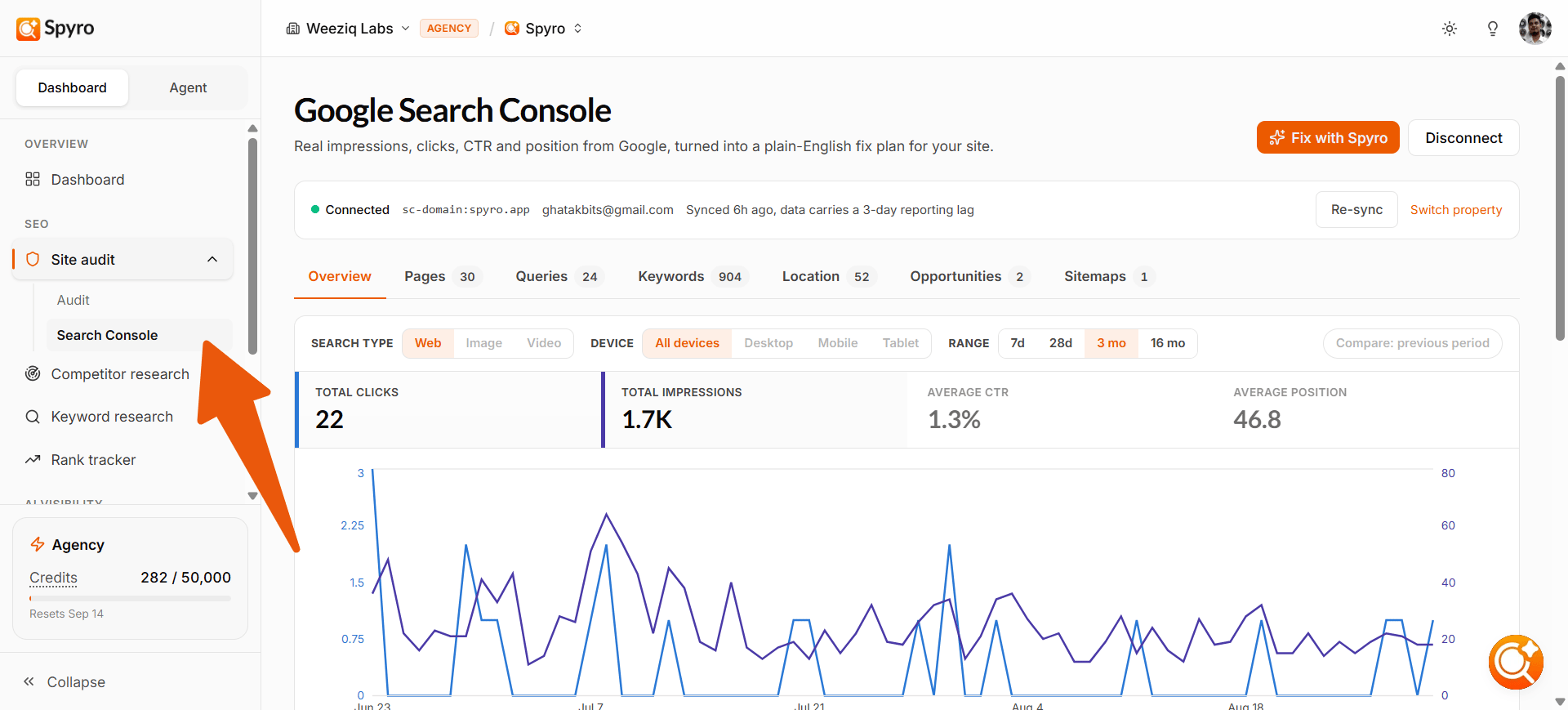
Why connect it
See your real numbers
Actual clicks, impressions, click-through rate, and average position - not estimates.
Know your best pages
See which pages and search queries are already bringing you traffic.
Spot easy wins
Find pages that are almost ranking, or that lots of people see but few click.
Watch your trend
Follow how your Google performance changes over the weeks and months.
How to connect it
1
Open Search Console
In the sidebar, open Search Console, then click Connect Google Search Console.
2
Sign in with Google
Spyro sends you to Google’s sign-in screen. Sign in with the Google account that owns your website, and approve the request. Spyro only reads your data - it can’t change anything in your Google account.
3
Pick your site
Google shows the sites your account can access. Choose the one that matches the website you’re working on, and confirm. Tip: if a site doesn’t match your workspace, Spyro warns you - pick the one for the site you’re tracking.
4
Wait a minute for your data
Spyro starts pulling in your performance. You’ll see a short “import queued” message, then your numbers appear once they finish loading. Refresh after a minute or two.
What to expect
Once connected, Search Console gives you a clear picture of your Google performance:- Your headline numbers for the last 28 days - clicks, impressions, click-through rate, and average position.
- Trend charts so you can watch each number rise or fall over time.
- Top pages and top queries - the pages and search terms bringing you the most clicks right now.
- Quick-win suggestions that pair your search data with your latest site audit, such as:
- Low click-through - a page lots of people see but few click. Usually a better title or description fixes it.
- Almost ranking - pages sitting just off page one. A little more content or a few internal links can push them up.
- Slipping pages - pages that used to get more clicks and now need a refresh.
You can also connect Google Analytics (GA4) to see AI-driven referral traffic - visitors who reached your site from ChatGPT, Perplexity, Gemini, Claude, and other AI engines.
Tips
- Connect Search Console early - the sooner it’s linked, the more history Spyro can show you.
- Choose the site that exactly matches your workspace so the suggestions line up with your pages.
- After you fix something, check back in Google Search Console to confirm the improvement - Spyro only reads your data, so you confirm the result there.