

Why use it
A few minutes here pays off everywhere. When Spyro knows your time zone, your audience, and your competitors, your reports land at the right time and your articles sound right for the people you’re trying to reach.Your account
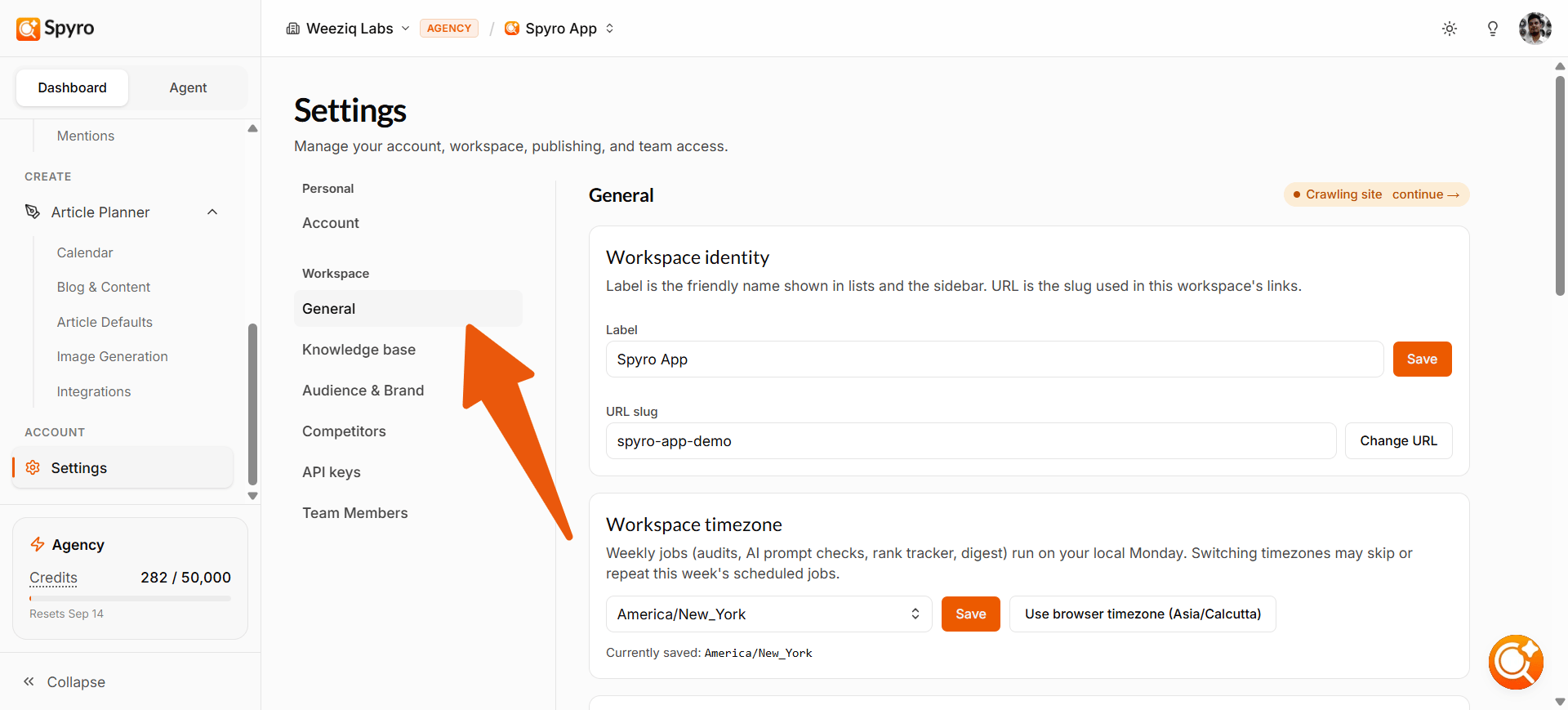
This is a quick summary of you in this workspace - the email you signed in with and your role on the site. Spyro uses Google sign-in, so you change your name, password, and security over at myaccount.google.com.Workspace name and time zone
1
Name the workspace
Give the site a clear label so it’s easy to spot when you switch between websites.
2
Set the time zone
This keeps your schedules and reports on local time - rank checks, AI checks, and your content calendar all follow it.
3
Re-read your site
Use Re-crawl to have Spyro read your latest pages again, so your scores and suggestions stay up to date.
The audience your writer targets
Tell Spyro who you’re writing for, and every article gets sharper.- Audience segments - short tags for the people you sell to. Spyro fills these in from your site, and you can edit, remove, or add your own.
- Business description - a short paragraph on what you do, who you serve, and what makes you different.
The competitors you track
Spyro lists the rival websites it thinks you compete with, and shows how many keywords you share with each. You can add a competitor you want to watch or remove ones that don’t matter. Keep the list to the rivals that really count - these feed your AI visibility comparison and your rank tracker.Pages Spyro has looked at
This is the list of every page Spyro found when it read your site. For each one you see its address, its SEO and GEO scores, and its worst issue. Click a row to open that page’s audit report. A bar at the top shows how much of your site Spyro has read so far.Add pages yourself
Spyro doesn’t always find every page. To add more, paste in your page addresses (one per line, up to 10 at a time). Spyro reads and scores each one right away. Anything that isn’t on your site, or is blocked from being read, is skipped and reported back to you.If you haven’t run an audit yet, this tab will invite you to run your first site audit - that’s the scan that fills the page list.
API keys
An API key is a secret code that lets another tool connect to Spyro on your behalf - think of it like a password just for software. Most people never need one. If you do connect another tool, you can:1
Create a key
Give it a name so you can tell your connections apart. You can keep up to 3 at a time.
2
Use it
Paste the key into the other tool you’re connecting.
3
Remove it
Delete a key any time to cut off access instantly.