
Why use it
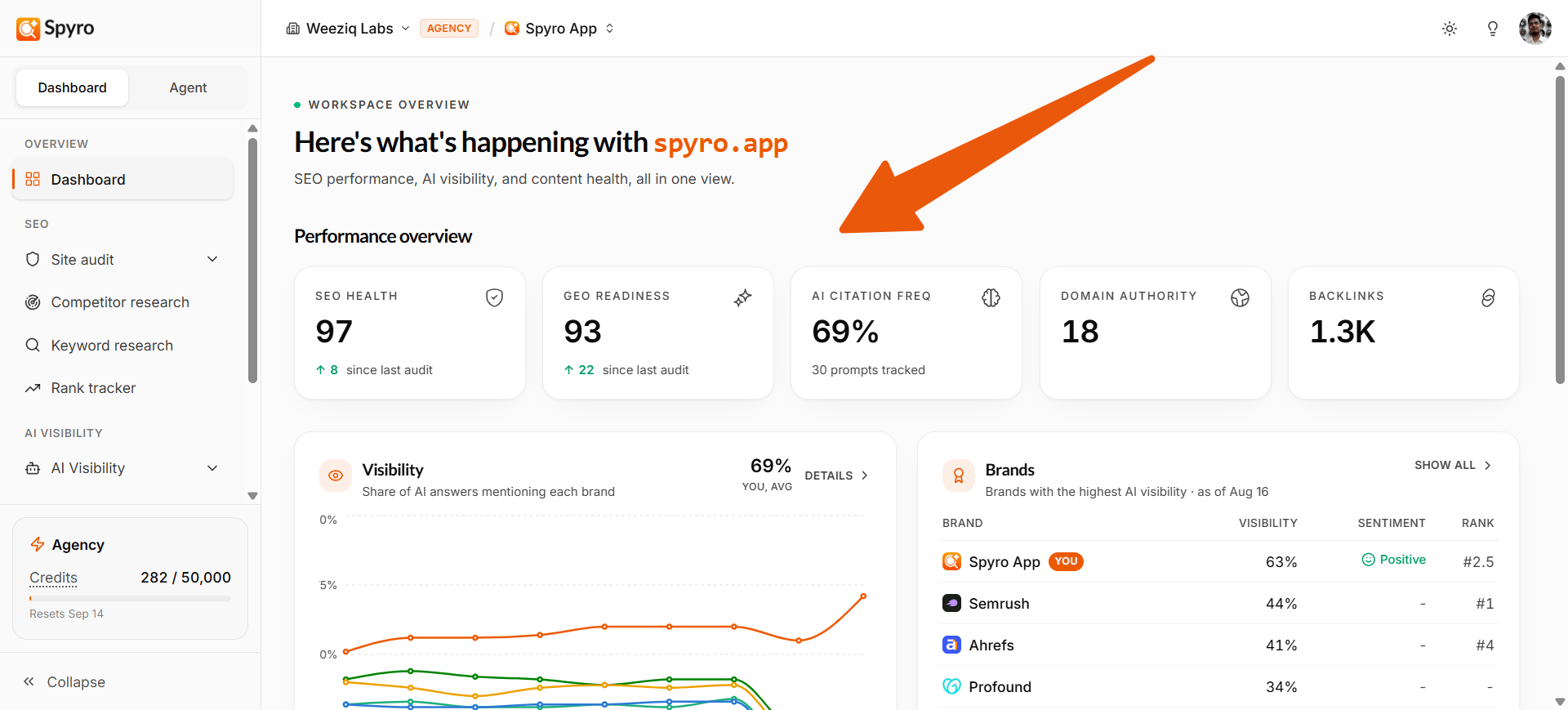
Instead of opening every tool to check on things, the dashboard pulls the highlights into one screen. A quick look tells you whether your scores are going up, which keywords are moving, and whether AI assistants are mentioning you. Use it as your starting point each time you log in.What you’ll see
Your scores
Your SEO health and AI readiness scores, each out of 100, with a small up-or-down trend once you’ve run more than one audit.
AI citation rate
How often AI assistants mention you when answering buyer questions, plus your domain rating (a measure of your site’s authority).
Visibility over time
A chart of your scores across recent audits, so you can see the direction you’re heading - not just today’s number.
AI engine citations
A bar for each AI assistant (ChatGPT, Gemini, Perplexity, Claude) showing how often each one cites your site.
Search performance
Your Google clicks and impressions for the last 28 days, with the change versus the month before. Links to Search Console.
Rank movers
The keywords that moved the most since the last check - gains in green, drops in red. Links to the rank tracker.
Recent AI mentions
When an AI assistant cites your site in an answer, the latest few show up as cards here - each with the assistant, the date, how positive the mention was, and a snippet of what it said. Tap a card to read the full mention, or choose See all to open the AI mentions feed.What to expect on your first login
A brand-new workspace starts mostly empty - and that’s normal. Your scores show a dash (-) and several panels invite you to get started. Everything fills in on its own as Spyro finishes its work:
1
Your first audit completes
Your SEO and AI-readiness scores and the visibility chart appear.
2
Your AI questions run
The AI citation rate and recent mentions begin to fill in.
3
You connect Search Console
Your search performance card shows real clicks and impressions.
4
You track keywords
The rank movers card starts showing where your keywords are moving.